Private Threads Downloader
Download private videos, photos, and GIFs from Threads
ThreadsMate - Private Threads Downloader for Videos, Photos, and GIFs
Threads Private Downloader is an online tool developed by ThreadsMate to help you save private Threads videos, photos, and GIFs through your browser. Private media cannot be processed with a public link alone, so this page uses the post URL together with copied page source from your logged-in browser session.
This private downloader works on Chrome, Safari, Firefox, Edge, and Opera. You can use it on Android, iPhone, iPad, Windows, Mac, and Linux without installing browser extensions, desktop software, or mobile applications.
The process is simple: open the private Threads post in your browser, copy the post link, copy the page source, paste both into ThreadsMate, and download the available media file.
What Makes Threads Private Downloader Useful?
- Download private Threads videos, photos, and GIFs when the source is available in your browser.
- Works through a browser workflow, with no extension or software installation required.
- Supports desktop and mobile devices, including Android, iPhone, iPad, PC, and Mac.
- Uses the post URL and copied page source to detect private media links.
- Simple three-step interface for private Threads media downloads.
- No Threads account credentials, passwords, or login details are requested by ThreadsMate.
How to Download Private Photos and Videos from Threads?
Follow these steps to download private Threads videos, photos, and GIFs on your computer, Android phone, iPhone, or iPad.
1. Log in to your Threads account
Open Threads in a browser such as Chrome, Safari, Firefox, Edge, or Opera and sign in to the account that can view the private post.
2. Copy the Threads post URL
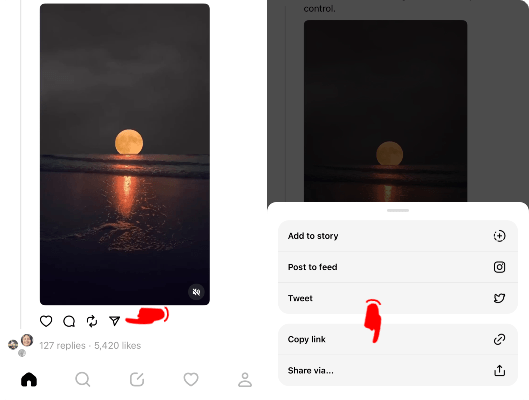
Navigate to the private Threads post you want to download and copy its link from the address bar or share menu.
3. Create and open the page source link
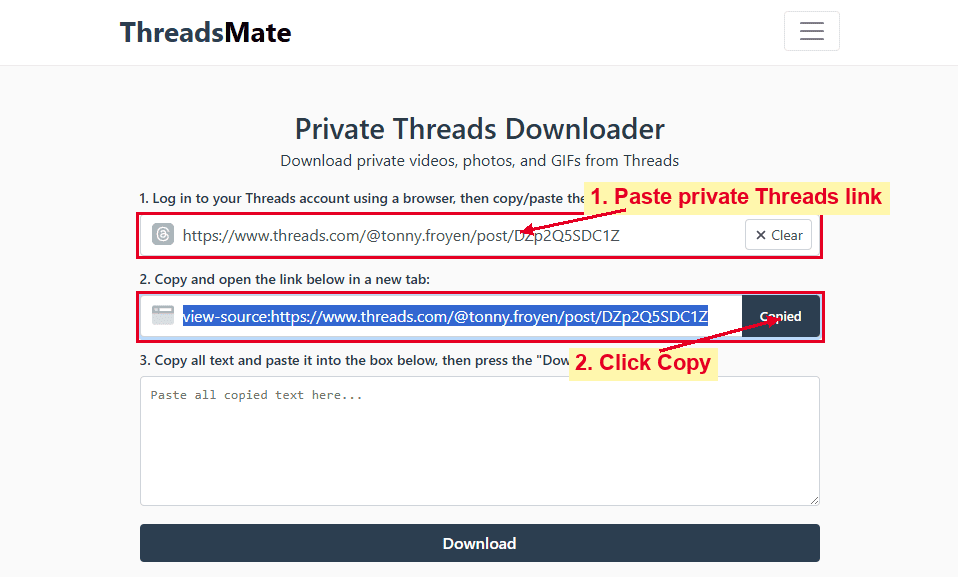
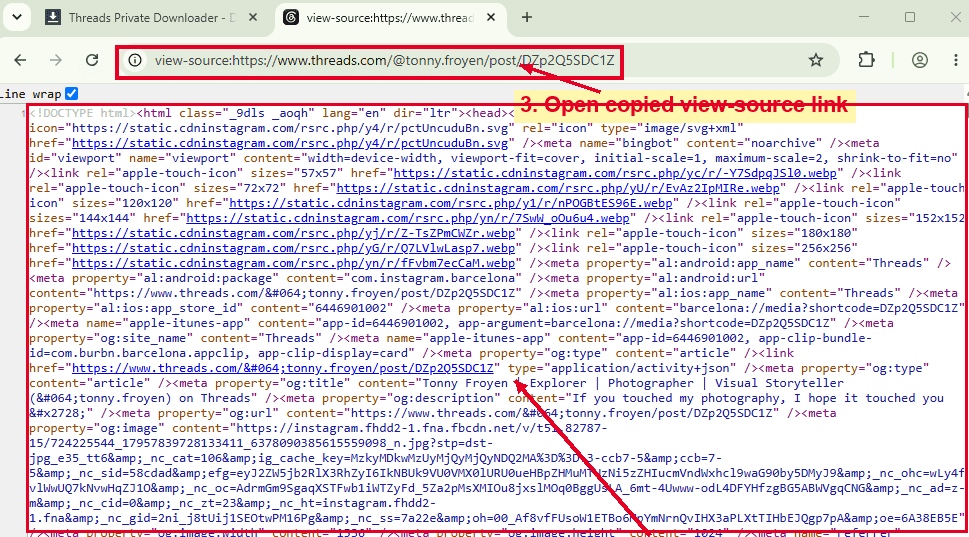
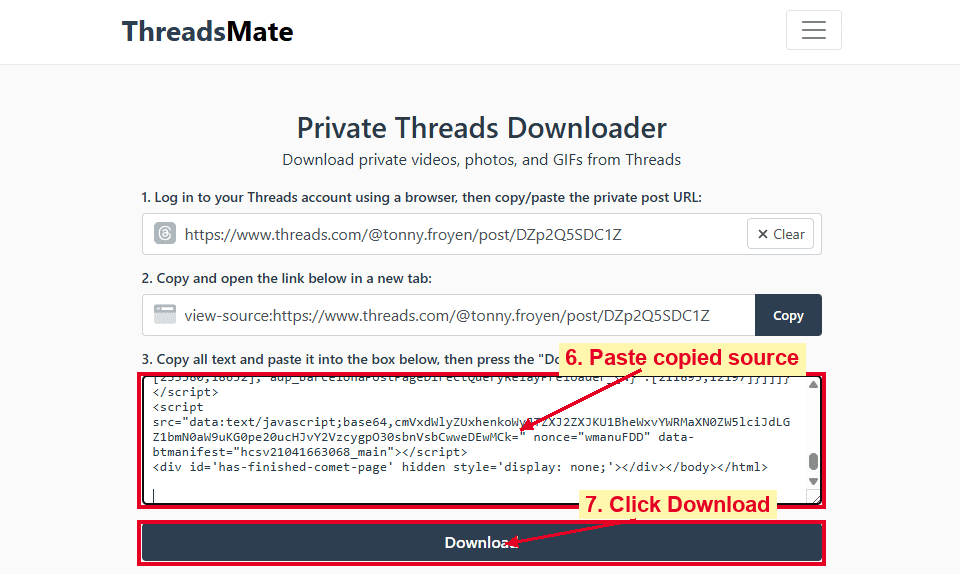
Paste the copied Threads link into the first input box on ThreadsMate. The second input box will automatically create a view-source: link. Click the Copy button, open a new browser tab, and visit the copied source link.
4. Copy the entire page source
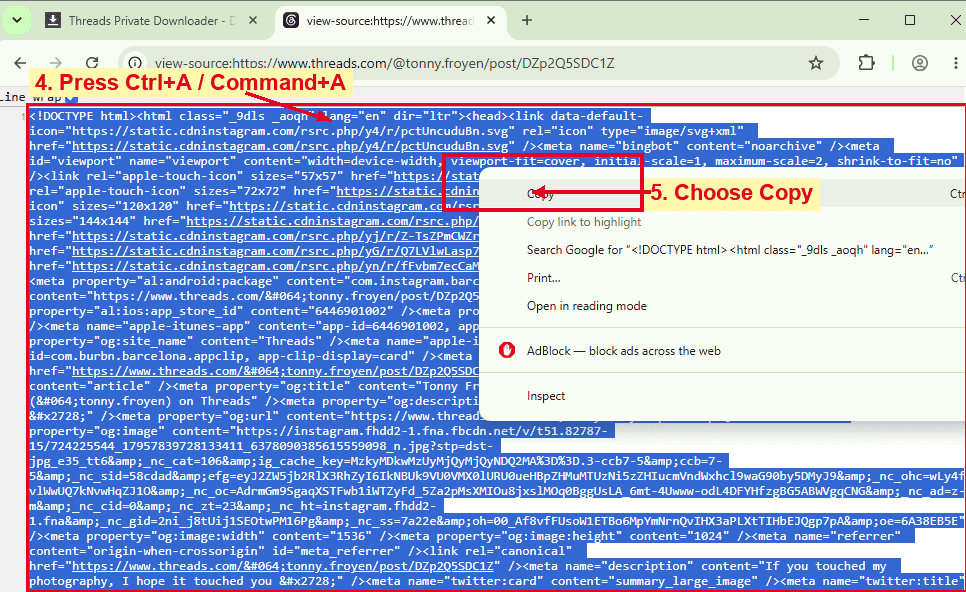
On desktop, highlight all source text by pressing Ctrl + A on Windows or Command + A on Mac, then right-click and choose Copy.
On Android, tap and hold on the page source, choose Select All, then tap Copy.
5. Paste the source code and download
Return to ThreadsMate, paste the copied source code into the third box, and press the Download button. Wait a few seconds while ThreadsMate detects the available private media, then save the video, photo, or GIF to your device.
How to Download Private Threads Videos on iPhone?
ThreadsMate works on iPhone and iPad through Safari and other modern mobile browsers, but copying source code can be harder on iOS than on desktop browsers.
- Open Threads and copy the private post link.
- Open the post in Safari while signed in to the account that can view it.
- Copy the page source using your preferred iOS browser workflow or use a desktop browser if needed.
- Paste the post link and source code into ThreadsMate.
- Tap the Download button.
- Save the video or photo to Files, Photos, or your browser downloads.
Important Notes About Private Threads Downloads
ThreadsMate does not ask for your Threads username, password, cookies, or private login credentials. The private downloader only uses the URL and source code that you provide in the form.
Please use this tool responsibly. Save only media that you own, have permission to download, or are allowed to use. Respect creator rights, platform rules, and privacy expectations when working with private content.