How to Download Threads Videos, Photos, GIFs, and MP3 Online
Threads is a popular platform for sharing short posts, videos, images, GIFs, and audio-based content. Users can post their own media and discover content from creators, brands, and communities. If you want to save Threads content to your phone or computer, ThreadsMate makes the process simple. You can use ThreadsMate to download videos, photos, GIFs, MP3 and convert Threads to MP4 directly through your browser.
ThreadsMate works online without requiring software, mobile apps, browser extensions, or account registration. Copy a Threads post link, paste it into the downloader, and save the available media file to your device.
Download Threads Media on Android
Follow these steps to download Threads videos, photos, GIFs, or audio on Android:
- Open the Threads app on your Android phone.
- Find the post that contains the media you want to save.
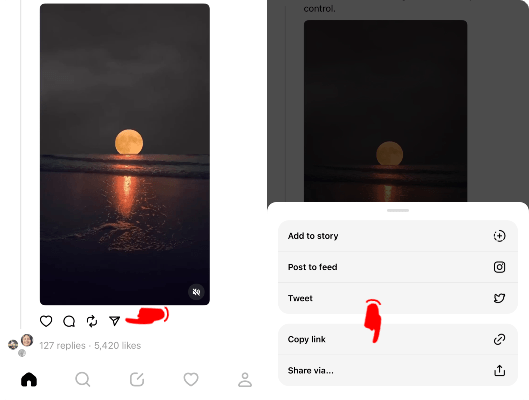
- Tap the share icon and select Copy Link.
- Open ThreadsMate in Chrome or your preferred mobile browser.
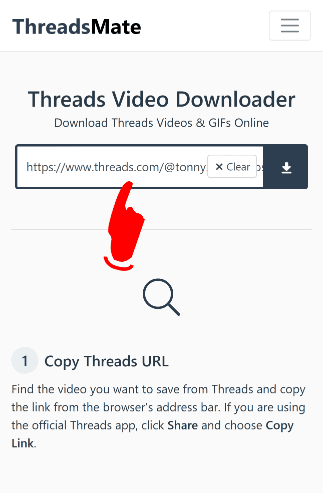
- Paste the copied Threads link into the download box.
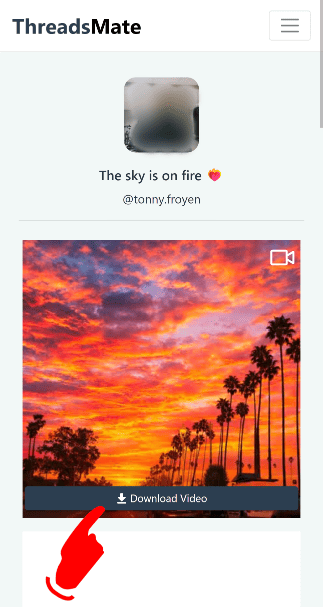
- Tap the Download button.
- Wait a few seconds while ThreadsMate processes the link.
- Choose the available download option and save the file.
The downloaded file usually appears in your Downloads folder, Gallery, Files app, or browser download history.
Download Threads Media on iPhone
You can use ThreadsMate on iPhone and iPad through Safari and other modern mobile browsers.
- Open the Threads app on your iPhone or iPad.
- Find the Threads post you want to download.
- Tap the share icon and choose Copy Link.
- Open Safari and visit ThreadsMate.
- Paste the copied Threads link into the input box.
- Tap the Download button.
- Wait for the preview or download result.
- Save the file to your device.
If the file does not appear in the Photos app, check the Files app, Safari Downloads folder, or browser download history.
For older iOS versions such as iOS 12 and below, you may need to use a file manager browser app like Documents by Readdle. Open its internal browser, visit ThreadsMate, paste the Threads link, and download the file from there.
Download Threads Media on Desktop
If you are using a computer, you can download Threads media through Chrome, Safari, Firefox, Edge, Opera, or another modern browser.
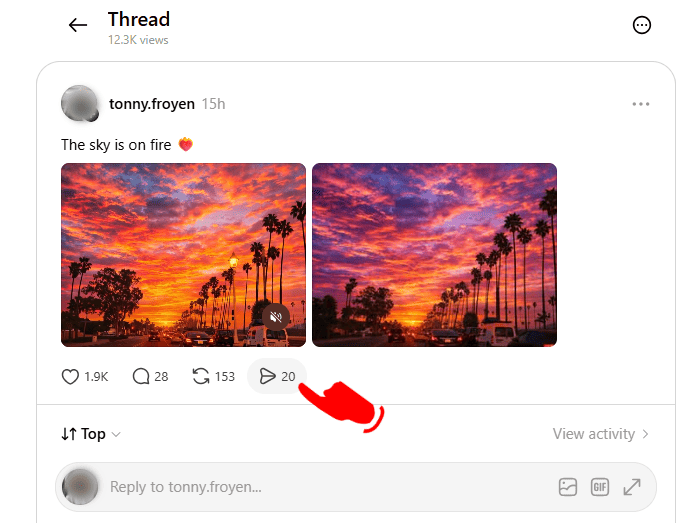
- Open Threads in your browser.
- Open the post that contains the video, photo, GIF, or audio you want to save.
- Copy the post URL from the browser address bar.
- Open ThreadsMate in a new tab.
- Paste the copied URL into the download box.
- Click the Download button.
- Wait for ThreadsMate to process the link.
- Download the available file to your computer.
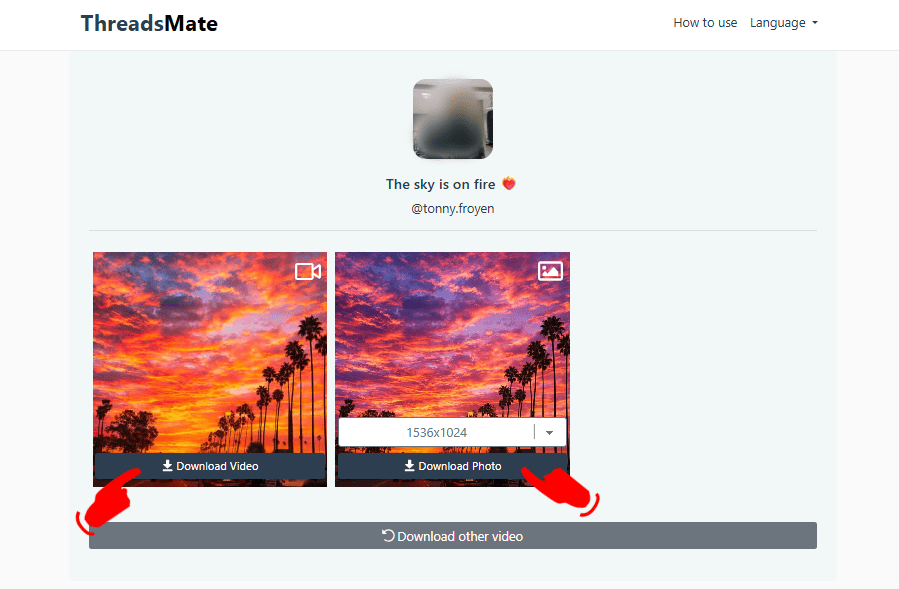
The downloaded file will usually be saved in your Downloads folder. You can move it to any folder after the download is complete.
Download Private Threads Media
Private Threads posts need a different method because they cannot usually be processed with a public link alone. To download private Threads media, open the private post in a browser while signed in to the account that can view it. Then copy the post URL and page source as explained in our Threads Private Downloader guide.
ThreadsMate does not ask for your Threads username, password, cookies, or private login credentials. The private downloader only uses the post URL and copied page source that you provide.
Where Are Downloaded Files Saved?
Downloaded files are usually saved in one of these locations:
- Downloads folder
- Photos app
- Files app
- Gallery
- Browser download history
- Music folder for MP3 files
The exact location depends on your device, browser, and download settings.
Tips for Better Downloads
- Use the full Threads post link instead of a copied caption or profile URL.
- Make sure the post is public when using the normal downloader.
- If a download does not appear on iPhone, check the Files app or Safari Downloads folder.
- For private posts, make sure you are signed in to the account that can view the post before copying the page source.
Important Note
ThreadsMate is intended for personal and permitted use. Please respect creator rights, privacy expectations, and platform rules when downloading Threads content. Only save media that you own, have permission to download, or are allowed to use.